

Do you want to protect your data from malware?
Using an anti-malware program is suggested by cybersecurity experts. Opposite to an antivirus application, an anti-malware program can save your computer system from new and more dangerous threats. One such app is Malwarebytes.
But, the free version has some limited options. Besides, upgrading to the premium version can put a dent on your wallet.
Therefore, we have analyzed the free and premium version for you. Here is a guide to understanding the difference between Malwarebytes Free and Premium.
So, without any further ado, let’s get started.
Benefits of Using Malwarebytes Premium
1. Real-time protection
The free version of Malwarebytes allows you to perform a scan manually. However, the Premium version triggers itself whenever it finds a suspicious behavior. To clarify, the free version won’t eliminate a virus or malware unless you do a scan manually. On the other hand, the Premium version automatically detects and removes the malware before it can damage your data.
2. Scheduled Scan
Malwarebytes Premium allows you to schedule the scans. You can choose to do a scan every hour, day, week, or month. Besides, it has the custom scan feature that enables you to decide how deep you want to do the scan.
3. Anti-Exploits and Anti-Ransomware
Contrary to the free version, Malwarebytes Premium has the Anti-exploits and Anti-Ransomware features. Therefore, you get access to multiple layers of protection. The Anti-exploit feature is capable of tackling zero-day attacks. Similarly, the Anti-Ransomware feature detects and stops any application trying to encrypt your files.
In short, the significant advantage of using the Premium version is real-time scanning. However, other premium features do not perform well on the test conducted by AV-Test.org.
Is Malwarebytes Premium worth Paying?
Malwarebytes is one of the popular anti-malware applications. Users can have an emotional bias if they are using the program for a long time. Also, developers behind this software continually update the virus database for efficient protection.
When first launched, Malwarebytes Premium was a one-time-purchase. Commonly, people call it a lifetime license. However, since 2014 Malwarebytes changed the plan to a yearly subscription model. Fortunately, old customers who bought a license before 2014 were able to use the app at no extra cost.
As an explanation, the team behind Malwarebytes said that they change the model so that they can raise funds for a better product. Since then, it has shown considerable growth in the features. However, it still falls behind some major security solution companies.

Another disadvantage of this model is you can use the Premium product only on a single device. The rule was always there, but they never followed it strictly. Users were able to use the program on multiple devices. However, you can not use it on more that one computer system now.
What Should You Do?
If you are okay with paying USD 39.99 per year for protecting your computer, then you can give it a try.
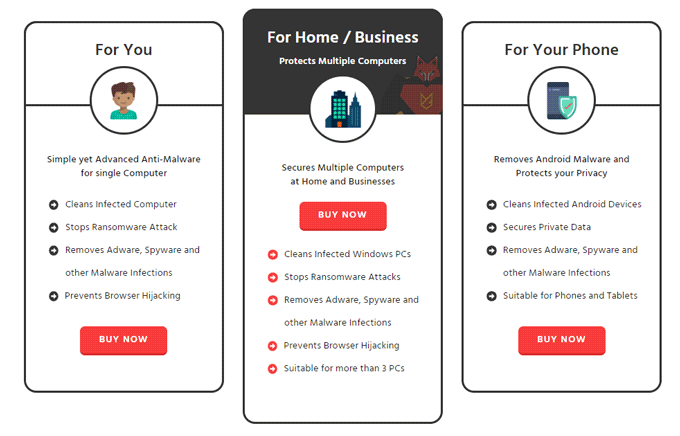
However, if you want better protection at less price, use MalwareFox.
MalwareFox protects three devices in a single purchase. Surprisingly, it costs less than the only device purchase of Malwarebytes.
Besides, if you want to use Malwarebytes on your smartphone, then you have to buy a separate license. On the contrary, MalwareFox allows you to add an android device in the package.
Also, if you want to buy the license only for your smartphone, it would cost you less than USD 10. Besides, the particular amount per device decreases as you increase the number of machines.
If you are not convinced, you can understand the concept better by reading Why to Choose MalwareFox.
Yet, if you are having second thoughts about the level of protection, you can always get a 30-days free trial from MalwareFox.
Final Verdict
Malwarebytes Premium does provide you with some superior and useful features. Moreover, it is continually trying to develop more sophisticated algorithms to tackle computer threats. However, when it comes to protection, Malwarebytes stands nowhere near the elite security solutions.
It does not mean that Malwarebytes is a lousy product. However, it does not provide the value that you would expect from a product with such high pricing.
Therefore, if you are looking for a decent anti-malware application, use MalwareFox. It has all the benefits as Malwarebytes. Yet you get it for a lower price. Besides that, you can use your license on a PC as well as an Android device.